
How Much to Run a Gaming PC: A Complete Guide
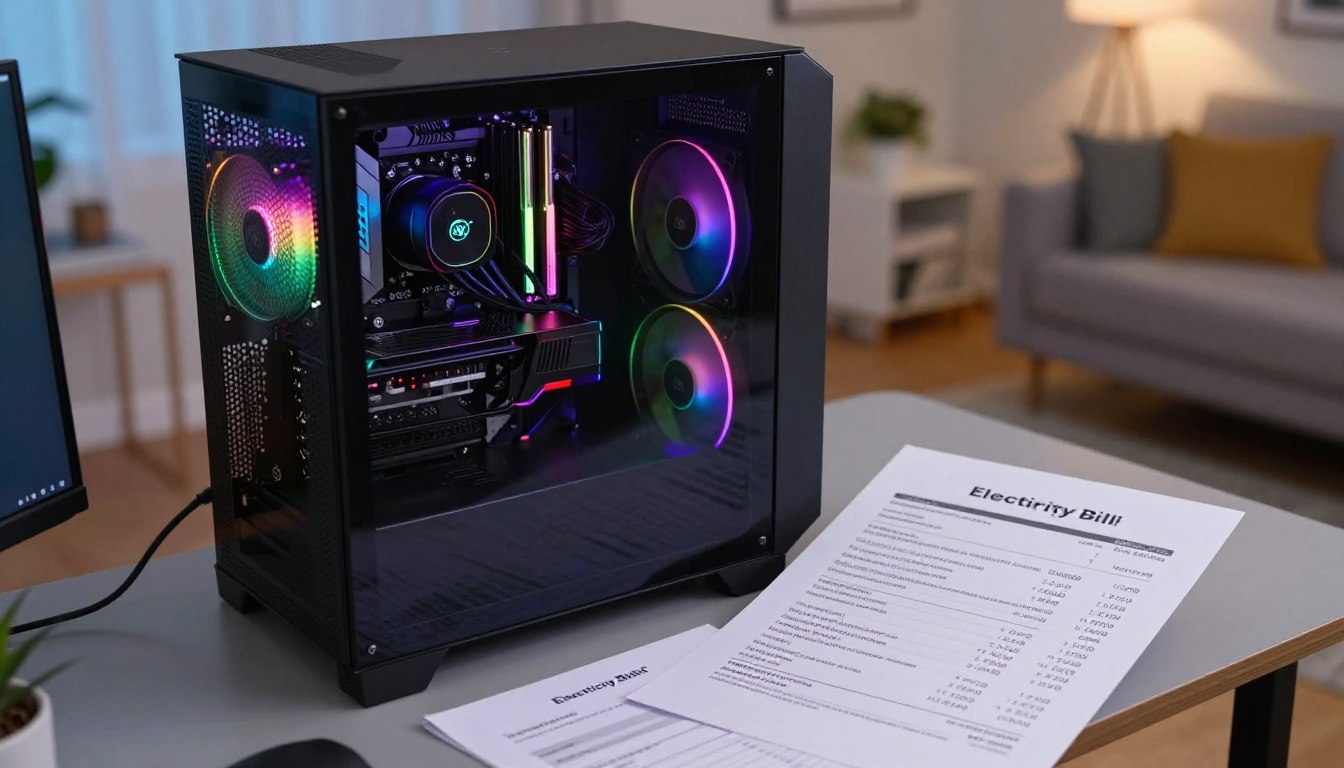
A gaming PC’s electricity bill is usually easier to estimate than it looks once you know its real power draw, daily use, and local rate. A kilowatt-hour (kWh) is the amount of energy used by a 1-kilowatt device running for one hour. Your monthly electricity bill depends on how much energy your computer uses and what your utility charges.
This guide covers electricity bills first, then power use, regional rates, ways to reduce consumption, and upfront PC and setup costs. A single estimate is useful only when its wattage and daily hours resemble your real routine. Keep the computer’s purchase price separate from the electricity it uses month after month.
Key Takeaways
- Estimate running costs from actual draw, hours of use, and your electricity rate.
- Power-supply wattage is not the same as power drawn from the wall.
- Hours spent idle or asleep can change total energy consumption.
- Monitors and other accessories add to a complete setup’s electricity use.
- Upfront PC and setup prices are separate from recurring electricity costs.
- Use your utility bill and a wall meter to make a more personal estimate.
How Much to Run a Gaming PC Each Month
A 500W gaming PC used for 8 hours a day has an estimated electricity cost of about $22 per month at the U.S. average rate. That is a useful starting point, not a fixed charge: actual draw, hours, and local electricity prices all change the result.
Gaming sessions include lighter moments, such as menus, loading screens, and pauses. Those periods can draw less power than demanding gameplay. The $22 estimate applies only when the wattage, schedule, and rate resemble the example. A longer daily session or a high electricity rate raises the monthly cost; lower draw or fewer hours lowers it.
A 500W system at 8 hours daily comes to about $22 per month at the U.S. average rate, but your use and rate may differ.
Think of the computer as part of household energy use rather than as a constant load. A day with several hours of demanding gaming can use more energy than a day spent mostly at the desktop. The same machine may also spend time asleep, shut down, or handling lighter tasks.
For a practical comparison, consider your usual week, not a rare marathon. If you game for two hours on weekdays and longer on weekends, those hours will produce a different estimate from an 8-hour daily schedule. Your provider’s rate matters just as much as the computer’s activity.
Monthly figures also depend on the billing period. A planning month often uses 30 days, while your utility may bill for a slightly different number. Treat that figure as a planning tool, and compare it with your actual bill over time. Treat that figure as a starting estimate, not a prediction of your exact utility bill.
How to Calculate Your Gaming PC’s Electricity Cost
To estimate a daily bill, convert the PC’s watts to kilowatts, multiply by gaming hours, then multiply by your electricity price. A kilowatt-hour, or kWh, measures the energy a 1-kilowatt device uses in one hour. Use actual draw and the rate on your bill for the closest estimate.
Follow these three steps for your computer:
- Find the computer’s actual wattage while you use it.
- Divide watts by 1,000, then multiply kilowatts by hours to get kWh.
- Multiply the kWh by your electricity rate in dollars per kWh.
For example, a 500W computer equals 0.5kW. At 8 hours, it uses 4kWh. At 20 cents per kWh, the cost is 4 × $0.20, or $0.80 per day. Multiplying a daily estimate by 30 gives a planning month of $24.
That arithmetic is only as useful as its wattage input. A plug-in watt meter measures power at the wall while the computer is in use. It gives a more informative reading than treating the power supply’s maximum label as everyday draw.
Measure during a normal gaming session, including typical settings and background apps. If your routine changes a lot, take readings during both heavy gameplay and lighter desktop use. A single moment at peak load may not represent the average across an entire evening.
Check whether your utility bill shows the rate in cents or dollars per kWh. Convert cents to dollars before multiplying, such as 20 cents becoming $0.20. Use the rate shown on your own bill and keep cents-per-kWh conversion consistent.
How Much Power Does a Gaming PC Use?
A gaming PC can draw a few hundred watts during ordinary play and substantially more under heavy graphics or processor load. Actual draw means the power measured at the wall, not the maximum wattage printed on a power supply. Use a measured or carefully estimated value for your own system.
Typical draw across desktop types
Desktop computers commonly draw about 200-500W. Gaming and workstation systems can use about 500-800W under load, though an individual system may sit outside those ranges. A 450W assumption is a reasonable example for estimating a typical gaming computer, not a universal specification.
A 2026 budget build with a Radeon RX 7600 and a 650W power supply was estimated to use no more than 400-450W at worst. That estimate applies to that build and its parts. It does not set the draw for every desktop with a similar graphics card.
The supply’s printed rating describes its capacity to deliver power to components. It does not tell you how much electricity the complete computer draws during regular use. Actual draw also reflects the power supply’s efficiency and the activity of the components.
Why the same PC draws different power
The graphics card often changes draw sharply as a game’s graphics load changes. The CPU also uses more power during processor-heavy scenes, while demanding settings can keep both components busy. Background tasks add some activity even when you are not focused on the game.
Menus, loading screens, idle time, and pauses can bring draw below a game’s busiest moments. One build’s worst-case estimate is not a guarantee for other configurations, even when they share a graphics card. Use a measured or carefully estimated draw for your own system rather than assuming every gaming session hits its maximum.
How Do Gaming Hours and Load Change the Bill?
A higher-powered PC does not automatically cost more if it runs fewer hours or spends more time at a light load. The comparison below uses the U.S.-average rate and two different schedules. Draw and hours together determine the energy use that drives each estimate.
A 200W desktop used for 8 hours daily costs $0.29 a day, while an 800W high-performance setup used for 5 hours costs $0.73 a day. The larger system’s shorter schedule keeps its monthly cost at $22.00, close to the smaller desktop’s $8.80 but not the same.
| Scenario | Draw and hours per day | Daily cost | Monthly cost | Yearly cost |
|---|---|---|---|---|
| Desktop computer | 200W, 8 hours | $0.29 | $8.80 | $107.06 |
| High-performance setup | 800W, 5 hours | $0.73 | $22.00 | $264.09 |
These amounts are estimates, not guaranteed bill totals. The comparison assumes the stated draw throughout the counted hours. Real sessions move between scenes, menus, loading, and other lighter moments.
A “gaming hour” is not necessarily an hour at sustained peak load. A computer may draw less while a game loads or while you step away. If you compare two systems, look at their typical workload and how long each remains active.
Daily use can also vary across the week. A high-draw computer used only for short sessions may cost less than a modest desktop left running for long stretches. Compare hours at the same workload before drawing conclusions from wattage alone.
How Do Local Electricity Rates Change the Cost?
The same computer can cost several times more to run in a high-rate state than in a lower-rate state. In October 2026, the U.S. average residential rate was 18.34¢/kWh, while California’s was 34.74¢/kWh. That difference changes the cost of identical energy consumption.
The October 2026 rates were snapshots, not live quotes for every household. California’s average rate was up 3.4% year over year, and the U.S. average was up 5.0%. State averages help with comparison, but a utility account’s rate and billing details are more useful for a personal estimate.
State rates can multiply the same usage cost
The estimates below use the same 200W desktop for 8 hours daily. They show how the rate changes a comparable amount of use.
| Location | Example rate, cents per kWh | Daily cost | Monthly cost |
|---|---|---|---|
| California | 34.74¢ | $0.56 | $16.68 |
| Hawaii | 52.72¢ | $0.84 | $25.31 |
| Nevada | 13.11¢ | $0.21 | $6.29 |
| New Jersey | 24.95¢ | $0.40 | $11.98 |
| U.S. average | 18.34¢ | $0.29 | $8.80 |
Read the rate and billing details on your utility bill
Your bill may list an energy charge separately from delivery, fixed charges, or other fees. Its effective rate can include charges beyond the energy line, so dividing the total bill by total kWh may give a broader household average. Check the line items before applying a rate to your computer’s use.
A state average is useful for broad comparison, but it cannot account for your utility plan, billing period, or all charges. Use the latest rate and billing structure for your own utility account when estimating a bill.
How Much Does It Cost to Run a Gaming PC in California?
A 450W gaming PC running 4 hours a day is estimated to cost $18.15 per month in California using the July 2026 average rate. The calculation uses an all-in rate of 33.61¢/kWh, including energy, delivery, fixed charges, and utility fees. Locally billed taxes may vary.
At that draw and schedule, the computer uses 1.80 kWh per day, 54.0 kWh per month, and 657.0 kWh per year. The estimated electricity cost is $0.15 per hour, $0.60 per day, $18.15 per month, and $220.82 per year. Those figures describe the stated usage pattern.
The monthly California estimate is $8.26 higher than the U.S.-average comparison. At the U.S. average rate, the same 450W computer and four-hour daily schedule is estimated at $9.89 per month. The difference comes from the rate used, not a change in the computer’s assumed energy consumption.
Actual gaming sessions do not always hold a steady 450W draw. A demanding game can raise power use, while menus, pauses, and lighter tasks can lower it. Your real bill also depends on how often you play and how the utility applies charges.
This California estimate is a useful reference, not a personal bill prediction. Your graphics card, processor, settings, and daily schedule may not match the example. Check whether your own bill adds locally billed taxes or uses a different rate plan.
Does a Monitor Add Much to the Electricity Bill?
A monitor adds electricity use of its own, so a tower-only estimate understates a multi-screen setup. A typical 24-inch monitor draws about 20-40W. Count its draw alongside the computer when both stay on.
Two monitors can add 40-80W to the setup. Over 8 hours of use, that amounts to 0.32-0.64 kWh. The actual monitor draw varies by model and settings, so use its specifications or measure it at the wall when you need a closer estimate.
To estimate the whole setup, add the monitor’s actual draw to the computer’s actual draw before calculating energy use. For example, a computer and screen running at the same time form one combined load. Do not treat the monitor’s wattage as the total draw of the full gaming setup.
Brightness can matter, especially when a display is set very high for a bright room. Dual monitors add another active screen, and longer hours increase the energy used by both. A second display that stays on while you game should be included in the hours you count.
Other accessories may also use power, but their draw depends on the product and whether they remain active. Focus first on the screens and devices that stay on throughout your usual session. Include every screen that stays on during the hours you count.
How Can You Reduce Gaming PC Electricity Use?
The easiest electricity savings often come from reducing hours spent awake but unused, not from lowering game settings. Sleep and shutdown settings can cut wasted energy when you leave the desk. Start with downtime your computer currently spends awake.
Sleep the computer during breaks and downtime
Set the computer to enter sleep after about 20 minutes of inactivity. Shut it down when you expect to be away for more than 2 hours. These are useful rules of thumb, not rules for every household or work routine.
Sleep mode is estimated to save nearly $15 per year in a general estimate. Your savings depend on the computer’s draw, how often it would otherwise stay awake, and your local rate. Treat the amount as an example, not a promise for your bill.
Reduce avoidable power use around the desk
Small changes around your gaming setup can prevent devices from drawing power when you are not using them. Check these three actions:
- Use sleep or hibernate during breaks instead of leaving the computer awake.
- Switch off unused peripherals and monitors when you finish with them.
- Check for unnecessary case fans or accessories; an extra case fan may draw 1-10+ watts.
ENERGY STAR-certified desktop computers are described as using 25%-40% less energy than conventional models. That range is a general comparison, not a guarantee for every certified computer or gaming workload. Set sleep behavior around your actual breaks and verify the change in your own usage.
How Much Does It Cost to Run a Gaming PC 24/7?
At 200W, a computer running continuously for a 30-day month costs about $26.40 at 18.34¢/kWh. A 24-hour daily schedule adds up to 720 hours in 30 days. Use average draw across the whole day for an always-on estimate.
The 200W example is a baseline, not a forecast for every gaming computer. A gaming PC’s real 24/7 cost depends on its average draw during active use, idle periods, and sleep periods. A computer left awake continuously is not necessarily gaming at full load continuously.
Peak gaming draw can be much higher than the average draw across a day. If the computer handles light tasks or sleeps for part of the day, its average wall draw will be lower than its busiest moment. If it remains active with demanding workloads, average draw may rise.
For a personal estimate, measure or estimate power across the different parts of your schedule. A single full-load reading cannot represent a day that includes hours of idle time. Use average draw across the entire day, not peak gaming draw, for an always-on estimate.
How Much Does a Gaming PC Cost to Buy?
A new gaming PC can cost about $1,000 at the entry end and several thousand dollars for a high-end graphics configuration. Price rises with the graphics card, CPU, memory, storage, and parts included. Compare the full configuration, not just the tower’s headline price.
Entry and midrange build costs
A 2026 budget build was listed at $924 before RAM, with an Intel Core Ultra 250K Plus and Radeon RX 7600. A listed 16GB DDR5-6000 kit added $258, bringing the estimate with memory to $1,182. The RX 7600 build was described as delivering well over 60 FPS at 1080p ultra.
A separate midrange RTX 5060 Ti 8GB build with 16GB RAM is estimated at $1,452. These are build estimates, not quotes for a named seller’s prebuilt gaming PC. A prebuilt price depends on its configuration and the parts, software, warranty, and support it bundles.

High-end builds and the parts a headline price may omit
An RX 9070 XT build with 32GB RAM is estimated at $2,505. That estimate could rise by another $250 if the card sells for no less than $1,100. An RTX 5080 build with 32GB RAM is estimated at $4,695.
When comparing a prebuilt system with a parts list, check what the quoted price actually includes. A low headline number may not include memory, an operating system, or shipping. Verify these four cost items in the configuration:
- Memory capacity and type
- Operating system
- Storage capacity
- Tax and shipping
Warranty and support also affect the value of a prebuilt computer, even when they do not change its component list. Compare complete configurations with the same memory and included software before judging which price is lower.
Is $500, $700, or $1,000 Enough for a Gaming PC?
At October 2026 prices, $500 is short of a new gaming PC with a dedicated graphics card, while $1,000 is close to entry level. A $924 build estimate excludes RAM, and a memory-included entry estimate is about $1,180. The listed parts and included memory change what each budget buys.
What $500 and $700 can realistically buy
At these prices, $500 does not cover a new gaming build with a dedicated graphics card. A $700 budget is also below the listed entry-level build cost. Used or reused parts can change your options, but compatibility checks matter before you buy components from different systems.
A $500 PC may run Fortnite on less powerful hardware, depending on settings. That does not make $500 enough for the stated target: a new gaming PC with a dedicated graphics card. The game’s performance depends on the hardware and settings, not the budget label alone.
What a $1,000 budget needs to include
A $1,000 budget is close to the base price of the entry-level example, but adding working RAM can push the total above that price. The listed build costs $924 before RAM; its memory-included estimate is about $1,180. A tower advertised near $1,000 may not include every part needed to use it.
Check the exact components before comparing listings. A system without memory is not ready to run, and an included graphics card may differ from the one your games need. Before buying, check whether the advertised tower price includes working memory and the graphics card you need.
Is a $2,000 PC Good for Gaming?
A $2,000 budget can target capable 1440p gaming, though the exact build may land a little below or above that amount. A midrange RTX 5060 Ti 16GB build with 32GB RAM is estimated at $2,189. The GPU and memory kit can move the final total noticeably.
One estimate puts the PC at $1,710 and a 32GB memory kit at $479. A separate 1440p-oriented RTX 5060 Ti 16GB build is estimated at $2,190 with 32GB RAM. With a listed $200 16GB kit, that estimate falls to about $1,910.
For many current gaming setups, 16GB is a workable baseline. A 32GB kit gives you more room for multitasking, heavier games, or applications running alongside a game. The right choice depends on the games and programs you use, not price alone.
For gaming by itself, 64GB is usually unnecessary. It can make sense for demanding creative work or substantial multitasking, but most players do not need that much system memory simply to play at a higher resolution.
4K resolution does not automatically require more system RAM. System memory and graphics memory serve different roles. The game, background applications, and the graphics card’s video memory matter when you choose a system, while resolution alone does not dictate RAM capacity.
Match RAM capacity to the games and applications you actually run, not resolution alone.
How Much Is a Complete Gaming PC Setup?
A complete budget gaming setup is estimated at $1,543-$1,645 when it includes the PC, 1080p monitor, keyboard, mouse, and headset but not a desk or chair. That total combines a tower with key peripherals.
The monitor estimate is about $200-$250, based on December 2025 prices described as a floor. A keyboard, wireless mouse, and wireless headset together were about $161 at deal prices or $213 at list prices in an August 11, 2026 budget-gear roundup.
| Item | Estimate | Included items | Important condition |
|---|---|---|---|
| Gaming PC | Included in $1,543-$1,645 total | Gaming computer | Configuration affects price |
| 1080p monitor | About $200-$250 | One monitor | December 2025 price floor |
| Keyboard/mouse/headset bundle | $161 deal, $213 list | Keyboard, wireless mouse, wireless headset | August 11, 2026 roundup prices |
| Complete budget setup | $1,543-$1,645 | PC, monitor, keyboard, mouse, headset | Desk and chair excluded |
A monitor choice changes the total. Resolution and refresh-rate goals affect what display you need and how much you plan to spend. A 1080p monitor suits the budget setup estimate; a different resolution or refresh rate may change your shopping list.
Check listings for extras that are easy to overlook:
- Operating system
- Mouse pad
- Desk
- Chair
The listed total excludes a desk and chair, so it is not the cost of furnishing a whole room. Add the peripherals you will actually use before deciding whether the PC itself fits your budget.
Can Time-of-Use Rates Lower a Gaming PC Bill?
Time-of-use rates can make the hour you play matter, especially during a summer weekday peak window. Southern California Edison’s (SCE’s) plans list higher summer weekday on-peak rates during set afternoon and evening hours. Moving flexible gaming hours outside those windows may lower the energy charge.
SCE’s Time-of-Use 4-9 p.m. plan lists summer weekday on-peak electricity at 59¢/kWh from 4 p.m. to 9 p.m. Its 5-8 p.m. plan lists 72¢/kWh on-peak from 5 p.m. to 8 p.m.
| Plan | On-peak hours | On-peak rate | Off-peak rate |
|---|---|---|---|
| Time-of-Use 4-9 p.m. | 4 p.m.-9 p.m. | 59¢/kWh | 33¢/kWh |
| Time-of-Use 5-8 p.m. | 5 p.m.-8 p.m. | 72¢/kWh | 34¢/kWh |
Both rates apply June through September. Each plan lists a $0.79-per-day base services charge and a $0.09-per-kWh baseline credit, up to the monthly baseline allocation. SCE’s summer plan charges include these details, so the on-peak and off-peak prices are not the entire bill.
Potential savings depend on your full household use, the baseline credit, and the base services charge. Changing gaming hours may help, but the total effect depends on the rest of your electricity use too.
Customers who switch plans cannot switch again for 12 months. Compare the full plan charges and your usual gaming schedule before committing to a rate change.
Does PSU Wattage Tell You How Much Electricity a PC Uses?
A 1000W power supply does not mean a gaming PC continuously uses 1000W from the outlet. The PSU rating is its capacity, not a constant draw from the wall. Measure actual draw to estimate the electricity bill.
Graphics-card recommendations show why supply capacity and normal use are different. The table lists minimum PSU wattage and board power for several cards:
| Graphics card | Minimum PSU wattage | Board power |
|---|---|---|
| RTX 5070 | 650W | 250W |
| RTX 5070 Ti | 750W | 300W |
| RTX 5080 | 850W | 360W |
| RTX 5090 | 1000W | 575W |
| RX 9070 XT | 750W | 304W |

An RX 9060 XT 16GB lists a 450W minimum PSU and 160W board power. A sizing rule adds CPU TDP, GPU power, and 100W for other parts, then adds 20% for spikes. CPU TDP means thermal design power, a component rating used in sizing estimates.
PSU wattage is capacity, not the computer’s constant draw. Use measured wall power to estimate energy consumption.
For an RTX 5070 with a Ryzen 7 9800X3D, the estimate totals 470W before headroom and 564W after adding 20%. The Ryzen 7 9800X3D has a default TDP of 120W; the Ryzen 9 9950X is 170W.
The RTX 5090’s 1000W minimum is described as a floor, with 1200W recommended alongside a Ryzen 9 or overclocking. A compliant ATX 3.0 1000W PSU is described as supporting 200% of its rating, or 2000W, for 100 microseconds at a time.
An 80 Plus Gold PSU is a sensible starting point. Use only the modular cables supplied with that PSU. Before you choose a unit, check:
- CPU TDP
- GPU requirement
- Connector fit
- Case clearance
Size the PSU for compatible components and load spikes, but use measured wall draw to estimate the electric bill.
Conclusion
Your best estimate comes from your own PC’s draw, your normal gaming schedule, and the rate on your bill. The electricity cost is a recurring household expense, while the computer and setup are separate upfront costs.
Start with the utility bill, then measure the computer at the wall during a normal gaming session. Multiply measured kilowatts by hours and your rate to plan a monthly amount. Measure one representative session and use that reading to plan your monthly electricity budget.
FAQ
Is it expensive to run a gaming PC?
Usually, a gaming PC adds a modest monthly expense at ordinary use, though high draw, long hours, and a high local rate can raise it. A 200W desktop used 8 hours daily is estimated at $8.80 per month at the U.S. average rate. Your own cost depends on actual wall draw and the hours the computer stays active.
Is $1000 enough for a gaming PC?
$1,000 is close to the entry-level price in October 2026, but the example needs more money once RAM is included. A listed build costs $924 before memory, while the estimate with memory is about $1,180. Check whether an advertised tower includes working RAM, the graphics card, and an operating system before treating its price as complete.
Is a $2000 PC good for gaming?
Yes, a $2,000 budget can target strong 1440p gaming, though the exact total depends on the graphics card and memory choices. An RTX 5060 Ti 16GB build with 32GB RAM is estimated at $2,190. A listed 16GB memory kit brings that comparison to about $1,910, leaving room for other parts or price changes.
Is $700 enough for a gaming PC?
No, $700 is below the listed entry-level build cost in October 2026. Used parts or components reused from an older computer can change the available choices, but they need careful compatibility checks. Confirm that the CPU, motherboard, memory, power supply, and graphics card work together before buying a used or mixed-parts system.
Can a $500 PC run Fortnite?
Fortnite may run on less powerful hardware, depending on the graphics settings and the computer’s parts. That does not make $500 enough for a new gaming PC with a dedicated graphics card in the stated price comparison. A used system or one with reused parts may fit a tighter budget, but check its condition and compatibility.
Is 32 GB RAM overkill for gaming?
No, 32GB is not necessarily overkill for gaming. Many setups can use 16GB, while 32GB gives you more room for multitasking, background apps, and demanding games. The extra memory can make the system more comfortable to use, but it does not automatically improve every game or replace a capable graphics card.
Do I really need 32GB of RAM or is 16GB enough?
Sixteen gigabytes can work for many games, while 32GB is a more comfortable choice for multitasking or heavier titles. If you mostly play one game with few apps open, 16GB may suit your needs. Streaming, editing, or running many programs beside a game can make the extra memory more useful.
Is 64 GB of RAM overkill?
For gaming alone, 64GB is usually more memory than you need. It can make sense for demanding creative work, large projects, or substantial multitasking alongside games. For a typical gaming setup, 16GB can be workable and 32GB offers more headroom, so choose 64GB only when your other workloads benefit from it.

 By
By
 By
By